Drop your photos in the chat. Your sale runs itself.
Selling one thing yourself runs about an hour: research it, photograph it, write it, price it, post it, then answer “is this still available” until somebody doesn’t show up. Connect ClearList to the assistant you already use and all of that happens without you.
Copy this link
It is what connects ClearList to your AI assistant. You paste it in once, and never again.
https://clearlist.me/api/mcpDrop your photos in the chat
This is how your stuff becomes a sale page. Up to 50 photos at a time. Say “list these” and go enjoy your free time. Your AI assistant writes, prices, publishes, and handles all the buyers.
Open the door and hand it over
This is the only part that still needs a person. Buyers already chose their own pickup time, so you are not agreeing anything. You just answer the door.
Free to connect. Setup takes about a minute.
 Claude

 +46
+46list these, moving Saturday, everything must go
Four listings out of your photos, one per item.
Published to clearlist.me/your-sale. Two are live and one is already reserved.
List all of your items in under 10 minutes and let your assistant handle everything else.
Buyers fully handled by your assistant, you just open the door to hand them the items.
“My ChatGPT can already do that”
Yes. It can write the listing. That is one job out of a dozen, and it happens to be the quick one. Everything after it is people, and people are exactly what your assistant cannot reach on its own.
Your assistant on its own
Writes you a description
and then it hands it back to you, and stops.
The same assistant, with ClearList
- The pile becomes finite
- You get researched prices
- Buyers arrive without you writing a message
- “Is this still available?” becomes impossible
- You never negotiate a pickup time
- Flakes and no-shows automatically handled
- Your day stays organised around real pickups
- Your address stays private unless you share it
- You get told what happened while you were out
You do three things, and two of them take a second.
What it costs
Free
To connect, and to run a small sale. Three active items, no expiry.
$20
A whole move. One time, everything you can carry.
$39
A whole house. Every room, garage and shed.
Nothing auto renews, and ClearList never takes a cut of what you sell.
See pricingPhotos in. A live sale page out.
ClearList organizes your photos and takes care of grouping, creates perfect listings, prices them, and publishes them. Anything it cannot identify waits for your yes, so you check the one odd photo, not all fifty.
- photos per message
- 50photos per message
- listings you write
- 0listings you write
- link to share
- 1link to share
In your assistant’s chat
11listings
7available
$1,690unsold
3buyers queued
- $220Billy F. Gibbons Custom Leather Cowboy Boots - Men’s Size 11 BlackGood · Clothing
- $170Sony PlayStation 4 Pro 1TB God of War Limited Edition GrayFair · Electronics
- $700IKEA Finnala Leather Sectional Sofa with Chaise - BlackGood · Furniture · needs a truck
- $25Rowenta X-Cel Handheld Garment Steamer - Blue/SilverGood · Clothing
- $180LEGO Nintendo Entertainment System Set 71374Good · Other
- $120Canon PIXMA TR150 Portable Wireless Inkjet Printer - BlackGood · Electronics
- $275Alesis Nitro Mesh Electronic Drum Kit - Black BundleGood · Electronics
- $180iRobot Roomba i4+ Robot Vacuum with Clean Base1 in queuetaken · Good · Electronics
- $150Sony WH-1000XM4 Wireless Noise-Canceling Headphones - Black1 in queuetaken · Good · Electronics
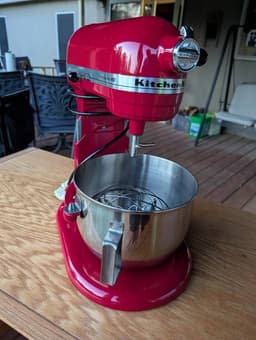
- $175KitchenAid Professional HD Stand Mixer - Empire Redtaken · Good · Kitchen
- $650Eames-Style Black Leather Lounge Chair and Ottoman1 in queuetaken · Good · Furniture · needs a truck
Open your sale page
Buyers reserve with an email. No account, no app. Your assistant answers their questions.
What you can ask for
You never name a tool. You say what you want.
Turn photos into listings
Grouped, described, priced, published.
“list these”
Publish the page, get the link
One link you can text to anyone.
“publish my sale, Austin, Venmo or cash”
Let buyers book themselves in
Google Calendar sync, busy blocks only.
“Saturdays 10 to 2, half-hour slots”
The one your assistant cannot do alone
It answers the buyers, by rules you set once.
Ordinary questions get handled in minutes without you. Only the ones that need a real decision reach you at all. Without ClearList your assistant never sees a buyer message in the first place.
“If someone asks whether an item is still available, check and answer them. Pickup times, give them my Saturday window. If anyone asks where I live, don’t answer, bring it to me. Any offer more than 20% under asking, bring that to me too.”
Change prices out loud
“drop the sofa to $250”
Ask about your own sale
“what’s had no interest for a week?”
Mark things sold
“the bookshelf sold”
Then it starts doing things we never built.
ClearList is one of the things your assistant can reach. Whatever else it is already connected to, it can use in the same breath. That is where this stops being a feature list and starts being up to you.
“List these, then design me a flyer for the front window.”
Your assistant’s image generator does the flyer.
“Post my sale link in the neighbourhood channel.”
Slack, Discord, WhatsApp, iMessage, wherever your neighbours already are.
“Email everyone who bought from me last time.”
Your own mail, your own contacts.
“Anything unsold by Sunday, put it in my shop.”
Your store, your spreadsheet, your system.
“Every morning at 8, tell me what got reserved overnight.”
One message a day instead of a dashboard.
“Put the leftovers on the neighbourhood app on Monday.”
Whatever else your assistant already reaches.
ClearList works inside your AI assistant, so it connects to any of the other apps you use with it.
Connecting it
- Open Settings, then Customize, then Connectors.
- Add a custom connector and paste the address.
- Sign in when the browser opens. Once, ever.
- Start a new chat and switch the connector on from the plus button.
- On chatgpt.com, turn on developer mode. It was under Settings, then Apps, then Advanced settings when we tested.
- Create an app, paste the address, and sign in when it asks.
- Start a new chat and pick ClearList from the tools menu.
- Done. Same tools Claude reaches.
Needs Plus, Pro, Business, Enterprise, or Education, on the web. Not Free or Go. On a work or school workspace, an admin may have to allow it first. Pasting the address into an ordinary chat does not connect it.
Agent mode works too: start an agent-mode chat, paste the address, and read back the 6 digit code ClearList emails you. ClearList is not in ChatGPT’s app directory yet; that listing is in review with no published date.
Gemini Spark: in Spark on gemini.google.com, open Settings, then Connected Apps, then Add a custom app, and paste the address. It works in Spark on your phone after that. Ordinary Gemini chat won’t connect, so you need access to Spark. Google also requires the US, 18 or over, a personal Google account, and Keep Activity on.
The same URL works elsewhere too. Some clients want it in a config file rather than a settings screen. Headless agents that cannot open a browser use an API key instead. Codex CLI and Google Antigravity connect this way.
At most, signing in is your email plus a 6 digit code. Never a password.
The 30-second test
How you know it worked
If it starts listing things it can do with your sale, you are connected. If it says it cannot find ClearList, the address went in the wrong place. In Claude it belongs in Settings, not in a chat message.
what can you do with ClearList?
Open a new chat and ask that.
Her whole house is listed
While she relaxed on her couch.
Hours of photographing, writing and haggling, gone. Listings written, priced, published. Buyers answered. She never got up.
Questions people actually ask
Can AI actually sell my stuff, or does it just write the listing?
On its own, an assistant writes a description and hands it back to you. That is one job out of a dozen and it is the quick one. It cannot put the listing anywhere buyers are looking, see or answer a single buyer message, hold an item for someone, book a pickup time, or tell you what sold while you were out. Connecting it to ClearList is what gives it those. You send photos and open the door on pickup day; everything between those two is handled.
Can ChatGPT sell my stuff? →How do I use ChatGPT or Claude to sell my things?
Copy https://clearlist.me/api/mcp and give it to your assistant, then send it photos and say “list these”. In Claude the address goes in Settings, then Customize, then Connectors, and it works on the free plan. In ChatGPT, turn on developer mode on chatgpt.com, create an app with the same address, and pick ClearList from the tools menu in a new chat; that needs a Plus, Pro, Business, Enterprise, or Education plan, not Free or Go. Either way there is no password and you only do it once.
How to sell your stuff using Claude →Can I sell house contents in bulk instead of one item at a time?
Yes, and the batch is the point. Selling house contents in bulk is what this is built for: up to 50 photos in a single message. Your assistant works out which photos are the same item, writes and prices each listing, and publishes the ones it is confident about to one shareable sale page, so you sell multiple items with one link instead of posting each separately. Anything it cannot identify waits for your confirmation, so you check the one odd photo rather than all fifty.
How to list your entire house before a move →Is there moving sale software that does the whole thing?
This is that, except it does not make you open another app. Most moving sale and online estate sale tools still expect you to sit in a dashboard typing listings and answering messages. Here the dashboard is the chat you already have open: photos in, a published sale page out, buyers reserving through a queue, pickups booked into your real availability. Standing instructions go further, because they are rules you give once that keep applying, like answering availability questions and bringing lowball offers to you.
How to run an online estate sale yourself →Is there an AI tool for selling used furniture?
Furniture is the case this handles best, because the hard parts are not the description. From a photo it estimates dimensions and weight, works out whether an item needs a truck or two people to lift, and prices against what similar used furniture actually sells for locally. Those are the three things buyers ask about a sofa before they ask anything else, and getting them wrong is what leaves a couch sitting unsold for a month.
How to price used furniture without guessing →Can an AI assistant answer my buyers for me?
That is the part it cannot do without ClearList, because on its own it never sees a buyer message in the first place. Connected, it reads them and answers by rules you set once. Most of what buyers ask is whether something is still available and when they can come, and neither needs you. Only the messages that need a real decision reach you at all.
The “is this still available?” problem →Can an AI assistant give out my home address?
Not on its own. Sharing an address takes two steps with your yes in the middle: the assistant has to name the buyer who would receive it and show you the exact address first, and only someone who reserved an item and verified their email can be that buyer. You get an email every time one goes out. It also cannot read back an address it shared earlier, so it cannot retype one into an ordinary reply. The one thing that cannot be stopped is you typing your address into the chat yourself.
How to outsmart marketplace scammers →What does it cost to sell this way?
Connecting is free, and the free tier runs a small sale: three active items, no expiry. A whole move is a one time $20 pass and a whole house is $39. Nothing auto renews, and no commission is ever taken on what you sell. Buyers pay you directly, however you arrange it.
See full pricing →What gets held back instead of published?
Two things, and your assistant tells you when either happens. Photos too unclear to identify wait for your confirmation. Anything past your plan’s active item limit is saved but stays invisible to buyers until you free a slot or upgrade.
How do I know it actually worked?
Open a new chat and ask what it can do with ClearList. If it starts listing things it can do with your sale, you are connected. If it says it cannot find ClearList, the address went in the wrong place. In Claude it belongs in Settings, not in a chat message.
How it works underneath
ClearList connects through MCP, the open standard for giving an assistant access to a service. It is the same system the website itself runs on, so nothing your assistant reaches is second class. The developer page has the REST API, OpenAPI spec, and agent discovery metadata.
Copy it. Drop your photos. Open the door.
https://clearlist.me/api/mcpFree to connect.